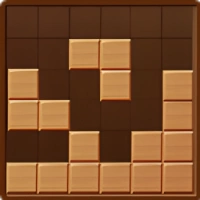
Game Introduction
Block Wood Puzzle offers a top-tier HOT experience that runs smoothly right in your browser. No downloads, no special hardware — just open, play, and enjoy.
Block Wood Puzzle is a captivating and intellectually stimulating game that will test your spatial reasoning and problem-solving skills. Your objective is simple: arrange wooden blocks by dragging and dropping them to complete rows, earning points for each completed line. What makes this game truly engaging is its endless gameplay, allowing you to continue playing until you exhaust your turns. With a soothing wood theme and an interactive tutorial to get you started, Block Wood Puzzle provides an excellent environment for improving focus and productivity, making it an ideal choice for fans of Tetris and similar spatial puzzle games.
Forced installers, or paywalls, Block Wood Puzzle focuses on what matters most: fun and accessible gameplay. It’s easy to pick up, hard to put down, and welcomes players of all skill levels. Join a friendly global community that shares tips, celebrates wins, and keeps the game alive every day.
Every playthrough of Block Wood Puzzle feels fresh. The challenges shift, your decisions matter, and no two rounds are exactly the same. The more you play, the more you discover — with fast load times, reliable performance, and smooth operation even on modest devices.
How To Play
Controls are intuitive on any device. Use mouse clicks on desktop, or tap and swipe naturally on mobile. Within minutes, the controls will feel like second nature.
Quick Start Guide
To start playing
Block Wood Puzzle , simply click the play button above. No registration, no installation
required. The
game works on all modern browsers and automatically adjusts to fit your screen perfectly.
Controls:
- Mouse / Touch: Click or tap to select options and interact with the game.
- Keyboard (if supported): Use arrow keys, spacebar, or WASD for additional control.
- Mobile: Swipe, tap, or hold on the screen to perform actions.
Pro Tips:
Don't worry about mastering everything at once. Experiment, explore, and learn at your own pace.
The game offers clear visual and audio cues — follow them to improve quickly. Most importantly, have
fun.
Troubleshooting:
Make sure JavaScript is enabled and your browser supports HTML5 Canvas. For the best mobile
experience,
a Wi-Fi connection is recommended. If anything seems off, a quick page refresh usually solves the
issue.